 |  |  |  |  |
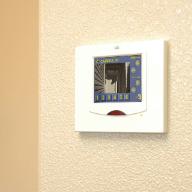
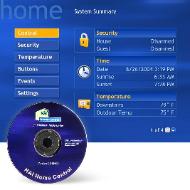
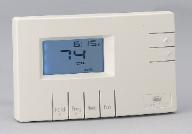
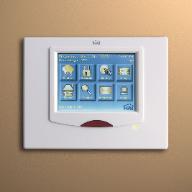
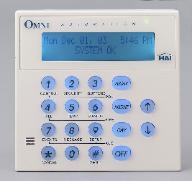
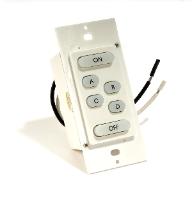
| COMFORT You can control the HVAC settings of your home. Automated temperature controls allow comfortable temperatures while you are home and energy savings while you are away. You can schedule thermostat setbacks based on occupancy rather than time. Lighting increasingly plays an important role in the elegance and comfort that a homeowner enjoys. Dining rooms, great rooms, media rooms, and home theaters all benefit from lighting scenes that set the proper mood for various activities. Examples: • During the summer the temperature setting on your thermostat is automatically turned up when the security system is armed in the morning. It is then automatically turned down one- half hour before you normally get home in order for you to arrive home to a comfortable house. • If you are leaving early from work, you can call into your home control system to manually set the temperature to where you want it to be when you get home. • The bathroom lights come on at the 25% level when it is after midnight and before 6: 00AM on those nights when you get up to go to the bathroom. CONVENIENCE For the ultimate in convenience, your home automation system can automate lighting sequences for "good night", "good morning", or "entertainment". Lights may be set to come on when a door is opened or when a car enters the driveway. Light up a dark hallway when motion is sensed. Enjoy lighting timed with sunset and sunrise. Set lighting levels based upon the time of the day. Create a dramatic or relaxing effect in your home with true architectural lighting scenes to enhance your enjoyment of parties, family movie nights, or romantic dinners. You can control your home control system through a variety of touchscreens, consoles, keypads, and other interfaces. Video feeds can show video over the touchscreen. It is ideal for seeing who is at the front door, pool, garage, or nursery. You simply touch the Video icon and select one of the six cameras for display. It can automatically display the front door camera when the doorbell rings and the pool camera if motion is detected in the pool area. Also, pressing and holding the camera selection button next to the video image can release a door strike to let your visitor in! Your home control system may also be accessed via telephone or computer. Computer access may be through Windows Media Center, by modem, or over the Internet. Remote access to the system allows you to check on the status of your home or adjust lights and temperature settings. Different music, in different rooms, for different people is one of the most exciting and fastest growing options for home entertainment. Examples: • Have the closet light automatically turn on when you open its door. • Have the porch light automatically turn on when you open the front door after dark. • Call your home control system over the phone to make changes to your system. • While watching a DVD on your Windows Media Center you hear the doorbell. Minimize the DVD window while you check your front door camera. • Your dining room has a room controller lighting switch that sets four different lighting scenes, depending upon the desired activity, such as normal dining, romantic dining, food pickup, or party. • Log into your home control system over the Internet and change your temperature settings. • Mom listens to her classic oldies radio station while preparing dinner in the kitchen, and Suzy listens to her Top 40 radio station in the family room while doing her homework. SAFETY The system can monitor and alert you of intrusion, fire, carbon monoxide, freezing conditions, water leaks, etc. In the event of a fire, the air conditioning is turned off to deter the spread of smoke and fire. You can also set the system to turn on all of the lights in the house to aid in your family's safe exit. The system may be set up to make outbound phone calls when certain trigger events occur. Also, the system may send out e-mails when triggering events occur. Examples: • Never walk into a dark home again. • Lighting controls can make a vacant home look occupied. • You could set your home control system to automatically call you at work when your child comes home from school and keys in his security code into the security system. • View video camera feeds from the internet. |


copyright (c) 2006 SmartHomes of Delaware, LLC all rights reserved